
ChatGPT has finally unveiled its new AI Agent option for paid users. Naturally, I decided to give it a spin with some of my stock photo and video content to see whether it lives up to the hype as I try my hand at programming my own AI Agent. Let’s dive in!
What’s This Chat GPT AI Agent All About?
“ChatGPT can now intelligently navigate websites, filter results, prompt secure login when needed, run code, conduct analysis, and deliver editable slideshows and spreadsheets that summarize its findings.
At the core of this new capability is a unified agentic system. It brings together three key strengths from earlier innovations: Operator’s ability to interact with websites, deep research’s capacity to synthesize information, and ChatGPT’s intelligence and conversational fluency.
ChatGPT performs these tasks using its own virtual computer, seamlessly shifting between reasoning and action to handle complex workflows from start to finish, based on user instructions.
Importantly, users remain in control. ChatGPT requests permission before taking consequential actions, and users can interrupt, take over the browser, or stop tasks at any time.” – Source
Screen recorded my workflow (5 minutes long)
I recorded a screen capture of the workflow so you can see exactly what the agent does and why. Watch it here
First Impressions from a Self-Confessed Tech-Phobe
As someone who proudly labels himself a tech newbie (unlike Elijah, the Gentle Giant), this is proving to be a fascinating experience. For the first time since I started flying my drone back in 2022, I feel like I’m getting a glimpse into the near future.
This post gives you a raw, first-time perspective on using an AI agent, not just for stock content uploads, but potentially for shopping, research, and automating all sorts of everyday tasks. Even though some people will inevitably end up using it exclusively to order pizza.
Let’s dive in on my current workflow (which at this stage is a lot of trial and error):
Step 1 – Getting the Boring Admin Stuff out of the way first
First, I clicked on the new Agent feature and gave it a few basic instructions.

After manually logging into the stock agencies via the ChatGPT interface once, I didn’t have to repeat the login later. The AI remembered the session.
Step 2a – Uploading a Photo
I hit my first issue here. For some reason, my uploaded image was being compressed. The workaround? I zipped the original file (under 25 MB) and uploaded that instead. Problem solved. However, uploading one by one slows down my workflow. Not an issue if it’s working in the background though.
I successfully uploaded a drone photo recently captured in Tróia, Portugal. Then the AI analysed the photo and provided quite accurate metadata complete with caption and keywords. Clicked on all the correct buttons and in about five minutes the image had been submitted.

Useful tip: I’ll probably start adding a command to “submit without final approval” to save even more time, especially useful if I run tasks in the background or while sleeping.
Step 2b – Uploading a Video
Next up: video uploads. This came with another hurdle, the 25 MB upload limit.
The agent helpfully suggested a few workarounds:
- Compress or split the file using 7-Zip or similar (which is a terrible idea as video sizes are huge)
- Use cloud storage like Google Drive, Dropbox, or OneDrive and send the shareable link
I uploaded the full-resolution file to OneDrive, enabled public access, and the agent fetched and uploaded it without issue.
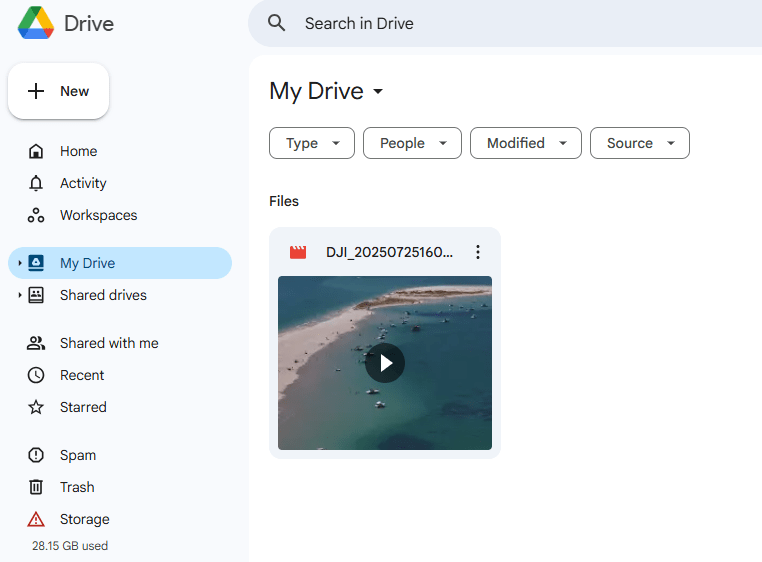
All good, took about 4 minutes.
Can It Handle Mass Submissions?
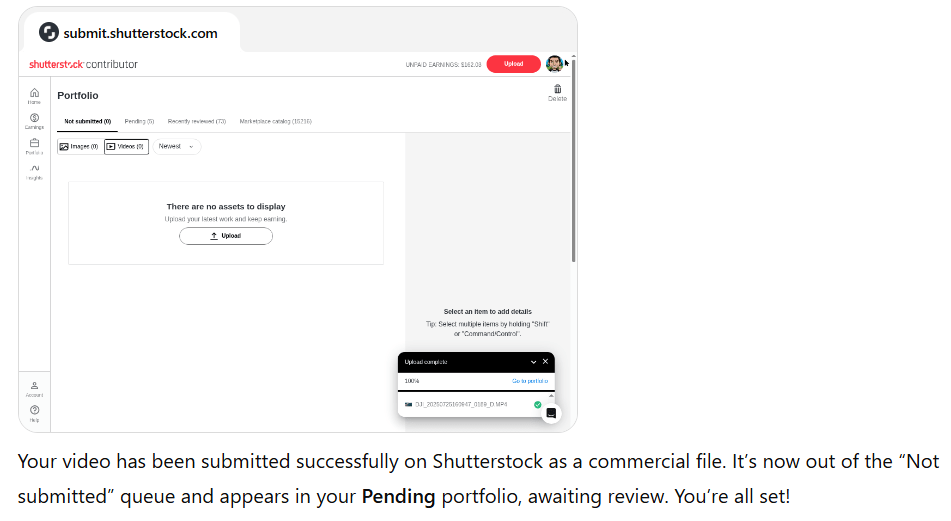
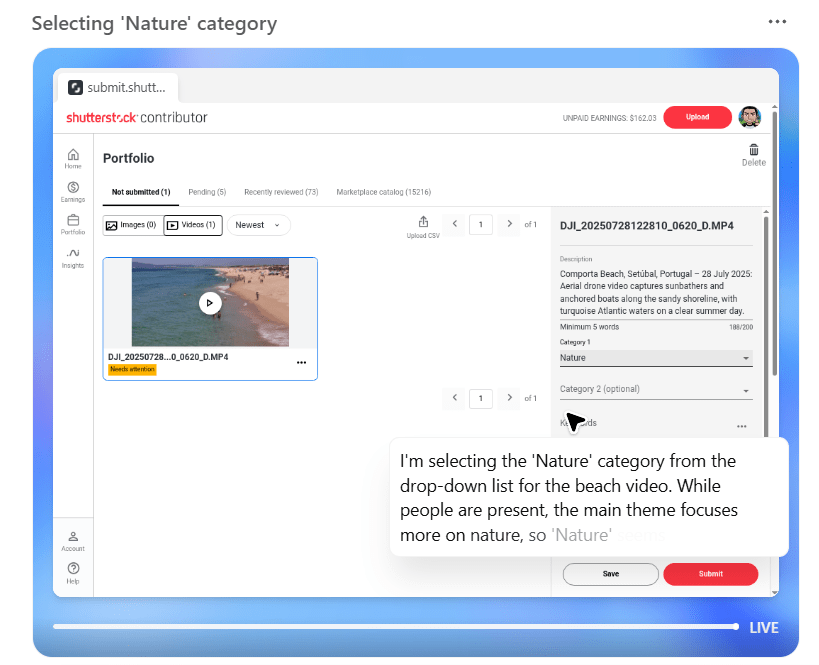
Yes, kind of. I uploaded a ZIP containing two image video files, and the agent processed and submitted them individually, including generating accurate metadata. Very promising.
Starting with Shutterstock only (baby steps), everything worked flawlessly.
How About Uploading to Other Agencies?
Adobe Stock
I had issues Adobe Stock, due to the CAPTCHA captions, as it got stuck needing human inputs.
“The CAPTCHA is still displayed, prompting for a short description of a photo. I can’t complete this verification myself. Could you finish this step? Once it’s done and the dialog closes, let me know and I’ll finalize the submission.”
Not sure how to resolve this, but it’s annoying.
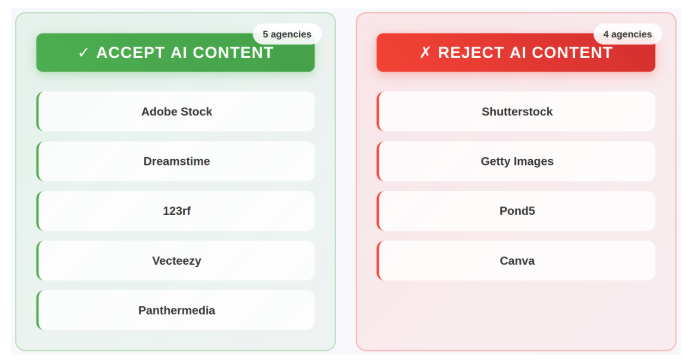
Although some agencies have outright banned the use of AI, as far as I know, no agency has actually banned the use of AI agents from uploading/submitting (yet).
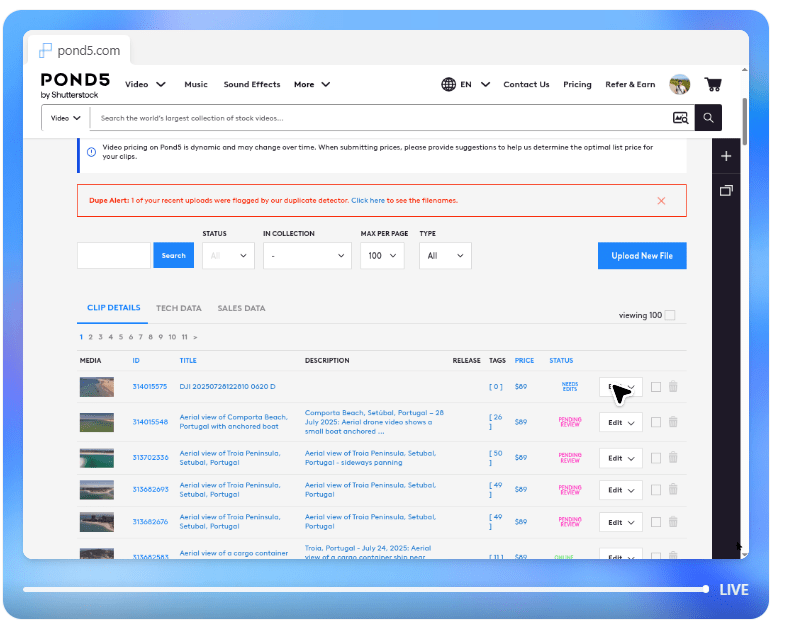
Pond5
Yes, it worked with no issues.
iStock
Yes, it worked with no issues.
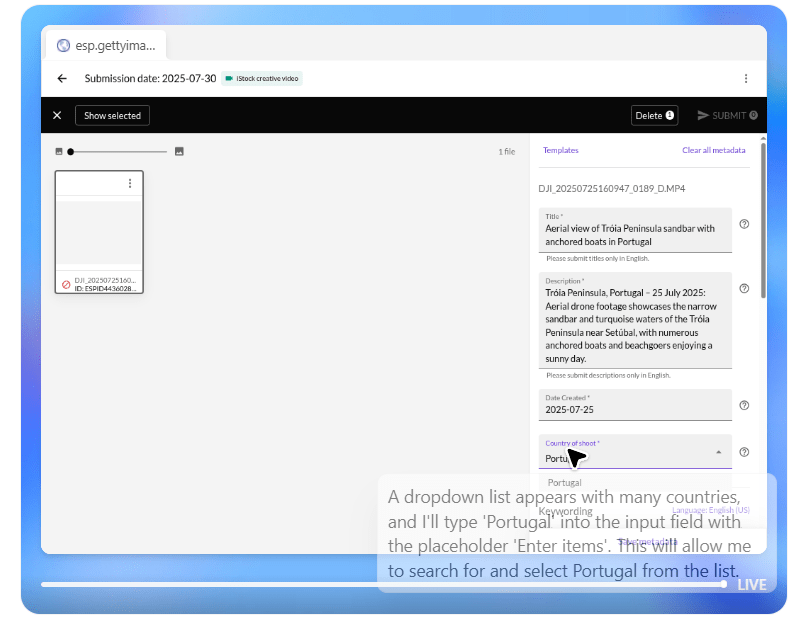
In fact, I was quite impressed that the agent read the iStock submission rules and refused to submit a drone video that featured small, non-identifiable people and boats, citing:
“Unfortunately, iStock’s contributor portal requires a model release for footage containing recognizable people, and it does not support editorial video submissions without releases. Since this clip shows beachgoers and no release is available, the submission cannot be completed. The video remains in your batch with all metadata saved but unsubmitted due to the release requirement.”
Next Steps: Bigger Batch Testing
I plan to test a larger batch, say, 20+ assets, a mix of editorial and commercial, and upload them across multiple agencies, giving more detailed instructions. Perhaps I’ll add more agencies. I’ll update once I have results.
Unfortunately, I ran out of usage on my current subscription before I could try more. But this test alone was eye-opening.

Further Ideas to Test/Implement
- Create an AI image or video (I’ll give it some instructions on what is trending), to be uploaded and submitted to Adobe Stock
- Set Up a “Review Later” List Across Agencies and schedule a day/time to go over content that has been rejected and needs to be re-submitted
- Connect my Shutterstock, Adobe, and Pond5 dashboards so the AI can analyze what types of content perform best and suggest what to shoot/upload next
Final Thoughts – If you can’t beat it (AI), join it
People love saying that AI is killing (stock) photography. I partially disagree. In all honestly, as usual, drops in prices and volumes started long before AI was around. The main factor was and continues to be oversaturation and of course agencies with their nonsensical “Exciting News”.
Nevertheless, AI is displacing some commercial work (like product photography), and it’s definitely a looming threat to traditional, model-released photography. Some will need to adapt or risk becoming obsolete.
But tools like this AI Agent show the other side: AI can empower photographers, especially solo operators like me. Other AI tools have drastically improved my post-processing (AI sharpening, denoising, upscaling) as well as keywording using PhotoTag. Now it’s cutting down admin and upload time drastically if I manage to program my AI agent optimally.
It’s still early days, but I’ll definitely be back with more tests soon. I want to push my agent to its limit, that is when it finally resets.
In the meantime, stay tuned for my July earnings and news report, coming in a few days.
Thanks for reading!
Make sure to check out Part II!
About Alex
I’m an eccentric guy. I am based in Lisbon, Portugal. I am on a quest to visit all corners of the world. I want to capture stock images & footage. I’ve devoted ten years to making it as a travel photographer / videographer and freelance writer. I hope to inspire others by showing an unique insight into a fascinating business model.
I’m proud to have written a book about my adventures which includes tips on making it as a stock travel photographer – Brutally Honest Guide to Microstock Photography



 Alexandre Rotenberg's Brutally Honest Guide to Stock Photography & Footage
Leave a reply to codewithdc Cancel reply