
Continuing on with the series on turning editorial images into commercial to increase their worth, today I’ll take you on a step-by-step of a busy beach image that I turned into what I think will make for a great & versatile commercial stock photo.
Here’s what the RAW file looks like:
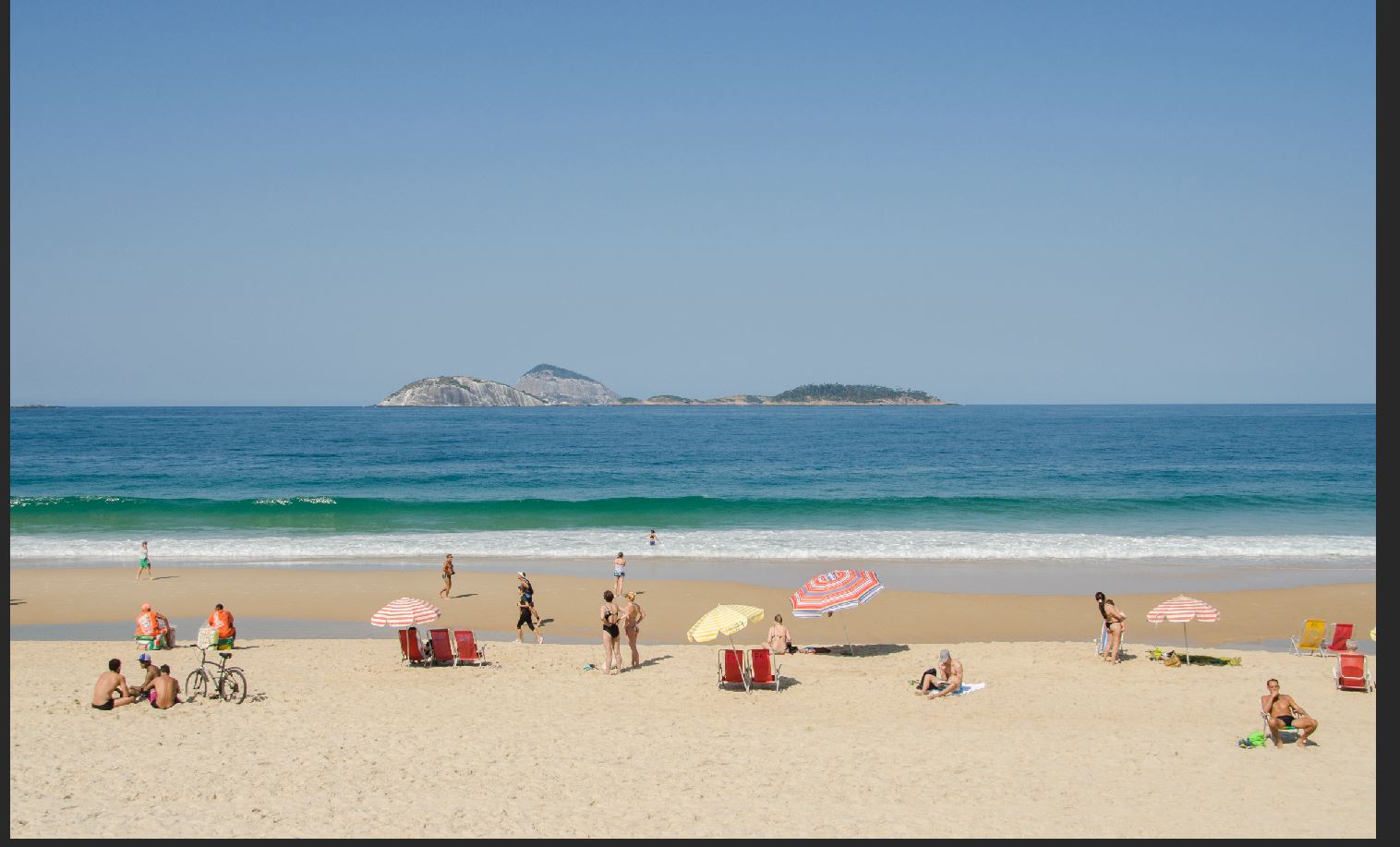
This alone would make for an OK editorial and I’d call it a day, but no. I’m going to be cloning people out of this image and you’ll see the end result, including the keywords.
Zoom in at 100%
This is going to be detailed work and the only way is to get up close, at least at 100%.
Using the Spot Healing Brush Tool
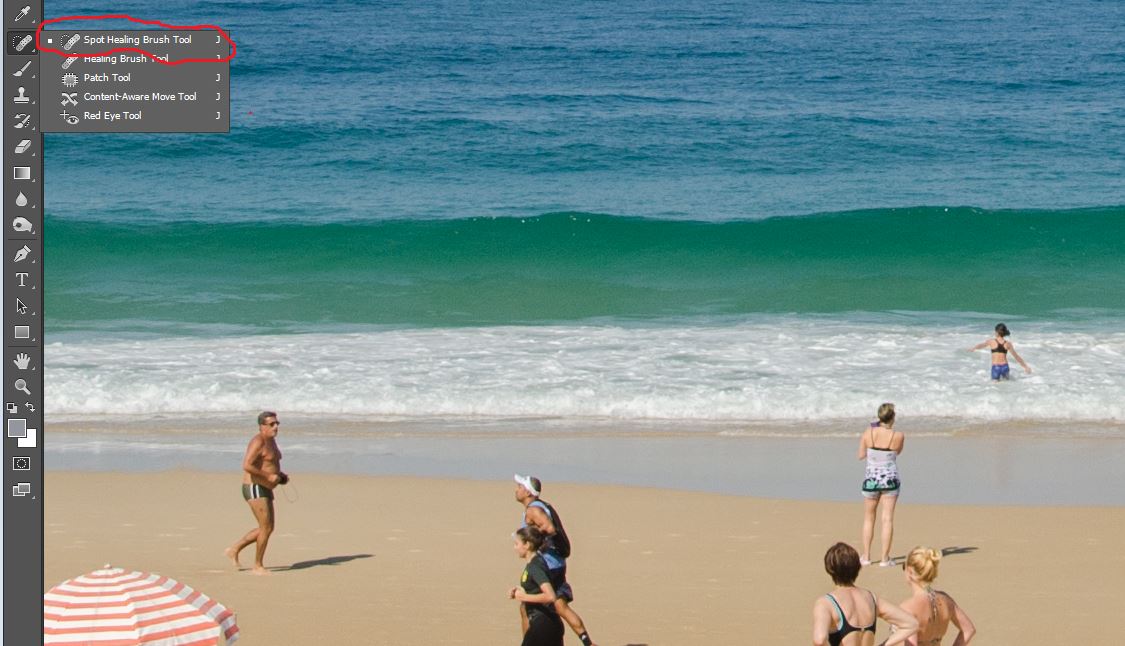
Using the “Spot Healing Brush Tool“, I’ll start with the background people and slowly remove them Stalin-style. This is an intelligent tool that can be used to clone areas from an image and blend the pixels from the sampled area seamlessly with the target area.
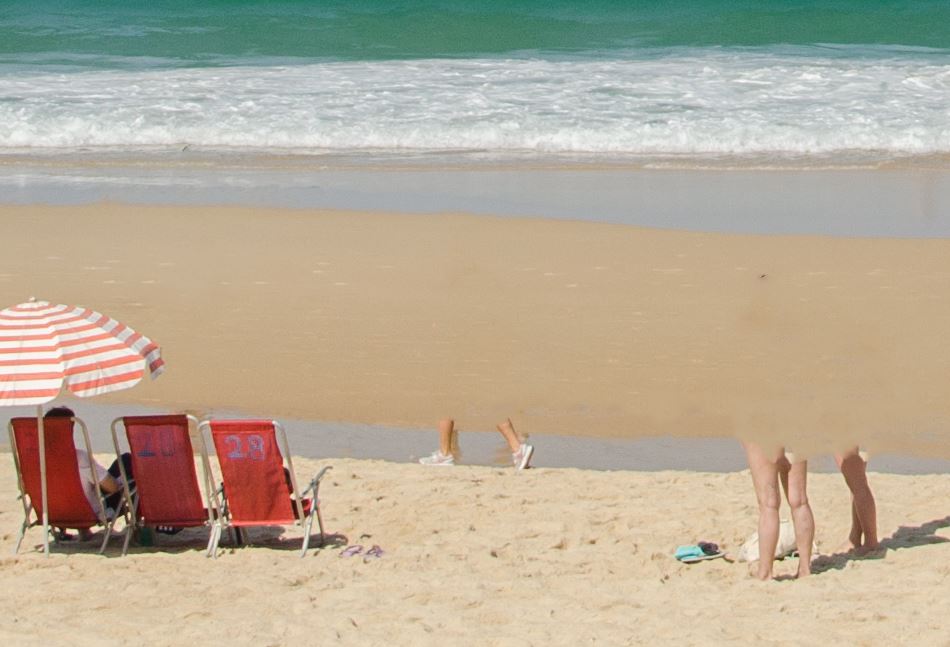
Using the Clone Stamp Tool
I’ve left a small portion of the image on purpose, since I’ll be switching to the “Clone Stamp Tool“, which paints one part of an image over another part of the same image or over another part of any open document that has the same color mode, to finish the job.
This is a good image to use these tools since the sand and water are quite uniform. I can easily line up the edges of the embankment and copy the surrounding area:
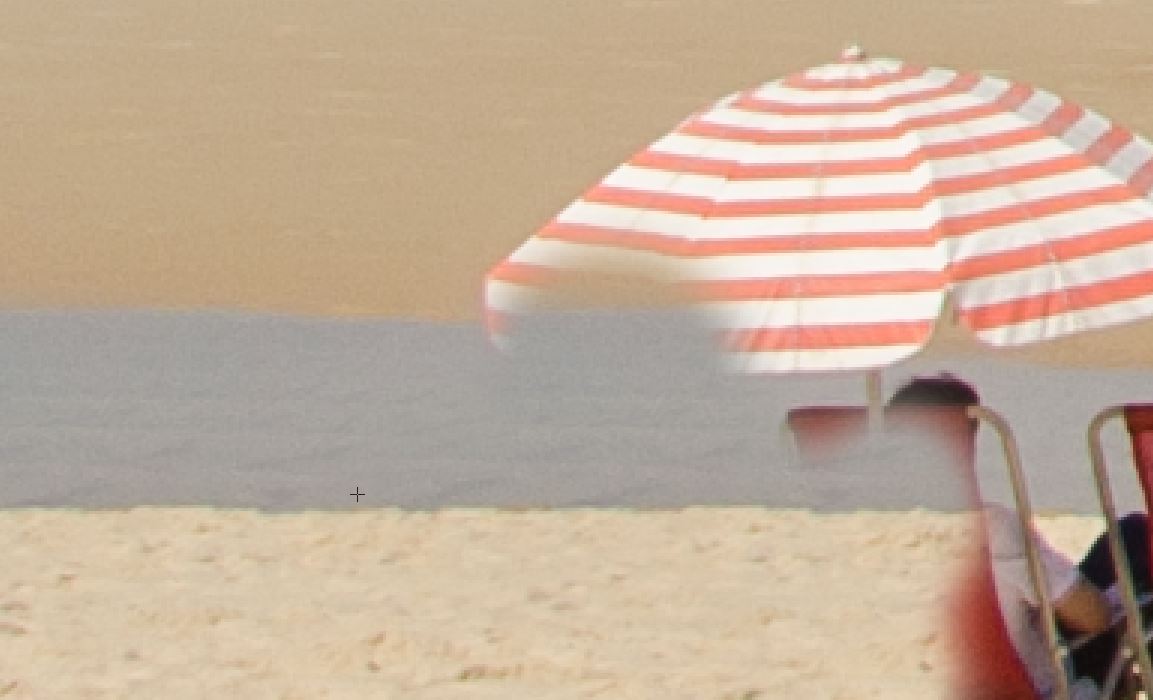
I’ve gone ahead and done this throughout. It’s time consuming since sometimes I have to go back and re-do to look more realistic.
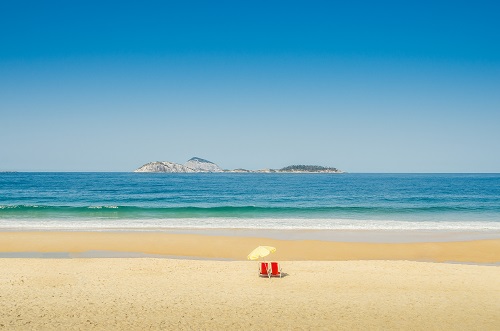
Leaving two chairs and a beach umbrella
I could have gone ahead and deleted everything making it look like a deserted tropical desert island, but I decided to leave two beach chairs and an umbrella. Why? Well, this is to give it a human element so buyers can use this image to suggest to consumers that they may be the ones who will be soon sitting on those chairs (drinking a coconut).
Lastly, I over-exposed it slightly, added some contrast and vibrancy. Then increased selective “red” colouring so the chairs would stand out – red is a strong colour here and makes for a nice colour contrast with the predominately blue from the ocean/sky. Small ND filter in the sky to darken slightly and bang. I didn’t crop this as well as I want to leave it up to the buyer to do what he/she choose in terms of the dimensions.
Here’s the final product:
Caption and keywords
Now, it may be the best image in the world but if I don’t keyword it properly nobody’s going to find it! Here’s what I used:
Caption: Tropical beach, two chairs and sun umbrella vacation scene with plenty of copy space
Keywords: background, beach, beach chair, beach umbrella, beautiful, blue, brazil, brazilian, carnival, coast, copacabana, desert island, escape, famous, heaven, horizontal, idyllic, ipanema, ipanema beach, island, janeiro, landmark, leblon beach, no people, nobody, ocean, panorama, refuge, relaxing, rio, rio de janeiro, sand, scenic, sea, sidewalk, sightseeing, sky, summer, sun, sunlight, tourism, travel, tropical, tropical paradise, vacation, view, water, waves, white sands
I’ll be submitting this image to Alamy (RF), Shutterstock, Adobe Stock and Fine Art America.
Overall this was a 15 minute-job and well-worth the effort in my opinion. Do you like it?
Until next time!
Alex


 Alexandre Rotenberg's Brutally Honest Guide to Stock Photography & Footage
Leave a reply to Streets of Nuremberg Cancel reply